

rules_lint to give automatic formatting and linting using ruff, a fast Rust-based re-implementation of the black formatter and flake8.
Change the application code to contain some formatting and linting issues:
- Use a mix of single and double quotes, which the formatter can safely fix without asking.
- Add an unused import, which the formatter can auto-fix. However, since imports can have side effects, this may be unsafe.
- Make a mistaken formatting string,
{scheme(missing the closing curly brace), which the linter points out but has to be fixed manually.
Formatting
Before running the formatter, add the code togit if you haven’t already. You only want to format files that are tracked by version control.
format task with the Aspect CLI:
With the
tools/bazel wrapper installed, your team can keep typing bazel format and Bazelisk routes it through the Aspect CLI. Without the CLI you can still run the underlying formatter target directly with bazel run //tools/format.Linting
Runbazel lint app/... to lint all targets beneath the app folder.
You should see a result like the following. It reports both lint errors introduced, and offers to fix one of them.
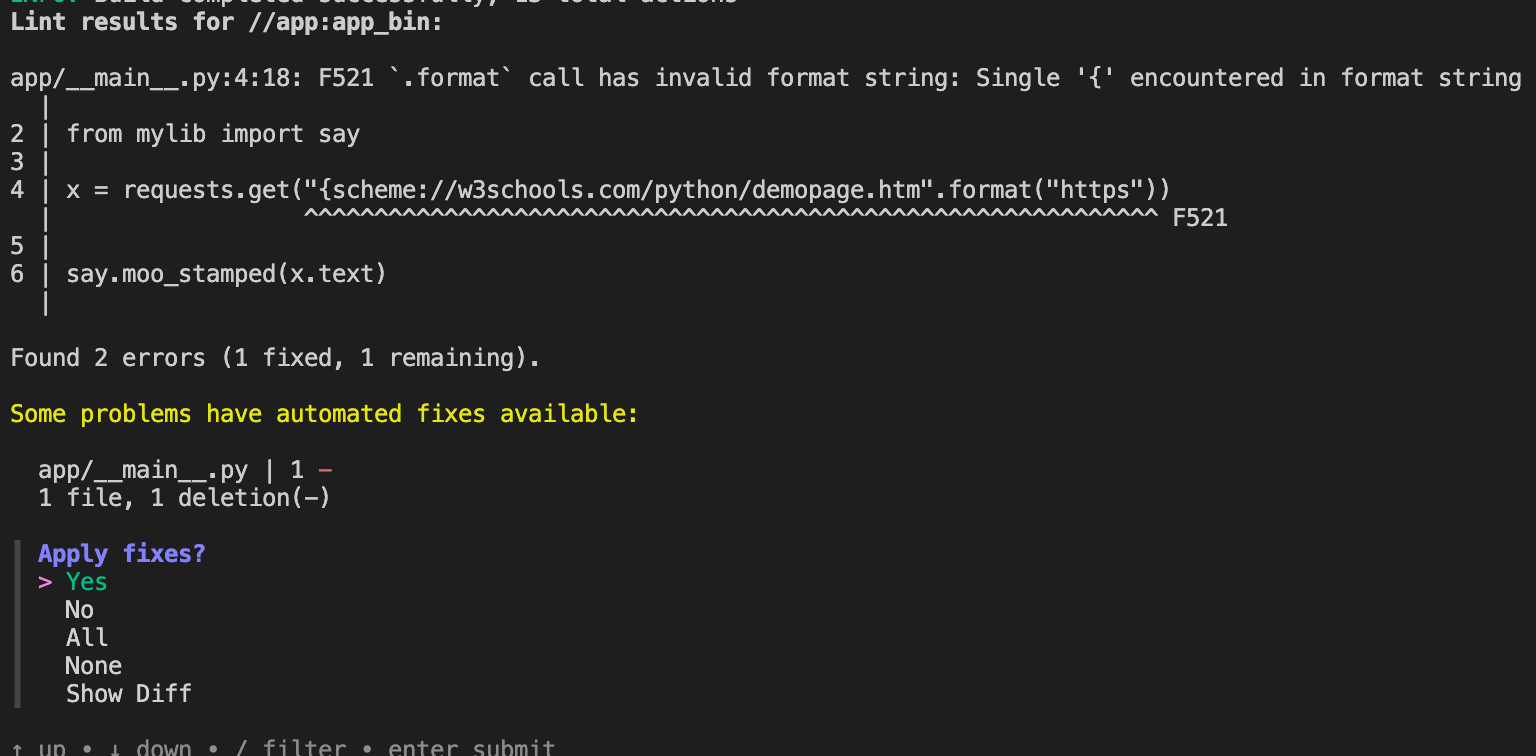
import os is now removed from the source file. The other lint error still appears if you run bazel lint app/... again.
The exit code from
bazel lint is non-zero. This indicates that ruff has been configured to report these as errors, and would block your workflow if linting is run as a CI step for example. You can use the pyproject.toml file to configure ruff differently.