Fetch the jinja2 tool
Add to therequirements/tools.in file, which is where you organized dependencies that are only used at build time.
./tools/repin
Tell Bazel how to run it
Open the BUILD file in thetools folder. There’s already a py_console_script_binary rule which you used to run the copier tool.
Make an identical one for jinja2.
Also add a visibility attribute, since Bazel enforces that the dependency graph doesn’t get tangled by default.
Declare the code generation
The library already came with a jinja2 template file inmylib/header.tmpl.txt.
You can see it has a {{TIMESTAMP}} placeholder to fill in.
To help out, the library also has a run_binary rule in the mylib/BUILD file.
This is a basic building block which uses a tool and some declared inputs, then runs it when needed to produce the declared outputs.
You can see the args already match the command-line flags from the jinja2 help output above.
The tool = "TODO" line is ready for you to fill in with the jinja2 CLI you just setup. Replace that with the label //tools:jinja2.
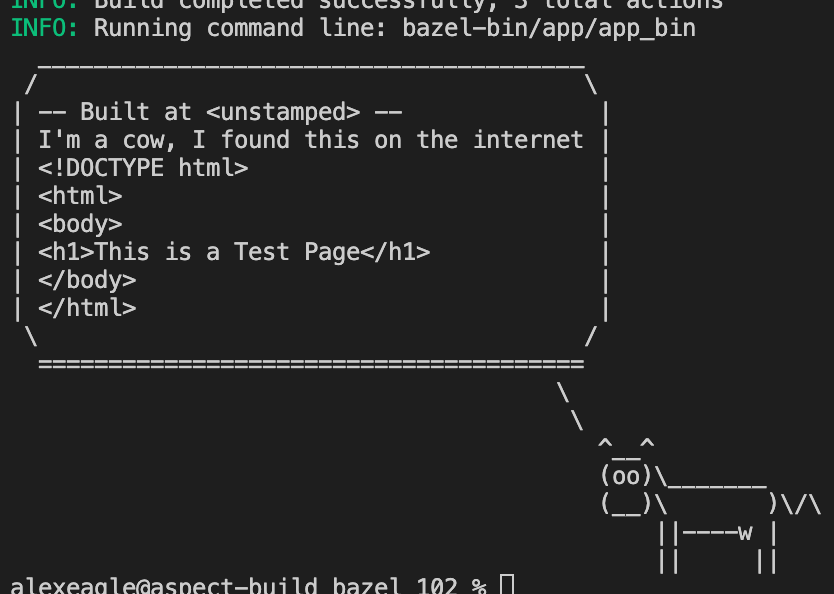
Now you can run a build to check the codegen:
Why does the value say
<unstamped> though? This is “determinism” where the output of a build step should only depend on the inputs.
If the current timestamp appears here, the output will be different every time, causing cache misses for any action that depends on this one, even transitively.
That slows down builds! You’ll see how to stamp artifacts for production later.Depend on the codegen
Finally, use the new templated header file in the application. Themylib library included a second function, stamped, so change the marvin function in app/__main__.py to use that instead.
When you try to run the application now you get an error:
header.txt file as a dependency.
And because the reference isn’t an import statement, BUILD file generation is not smart enough to know what to do.
To fix this, you need to edit the BUILD file by hand.
Since it’s a runtime dependency, you need to list it as a data dependency. How do you know where it belongs though?
The answer is the “locality principle”. You should declare the dependency locally to where the reference appears.
There should always be a symmetry between the symbol reference in the code, and the BUILD definition for that file.
Since the stack trace points to say.py , you should add the data dependency next to the srcs=["say.py"] declaration: