

bazel fetch to download these for the language you pick.
bzlmod: Bazel’s package manager
DefinitionA “Bazel module” is a Starlark project that can have multiple versions, each of which publishes metadata about other modules that it depends on.
.bzl file is called a “Starlark module” which is a different concept, representing the target of a load statement.
Introduced in Bazel 6.0, “bzlmod” is the package manager for Bazel modules. It
is semantically similar to numerous other dependency management systems, though
extensive discussion went in to making it sufficiently generic.
Read more in its documentation: https://bazel.build/build/bzlmod#modules
Bazel Central Registry
The Bazel team hosts a repository, https://github.com/bazelbuild/bazel-central-registry which is a database of published versions of Bazel Modules. Let’s find a Bazel-level dependency to add. Go to the web interface for the Bazel Central Registry: https://registry.bazel.build Search for whatever interests you. It should be something new.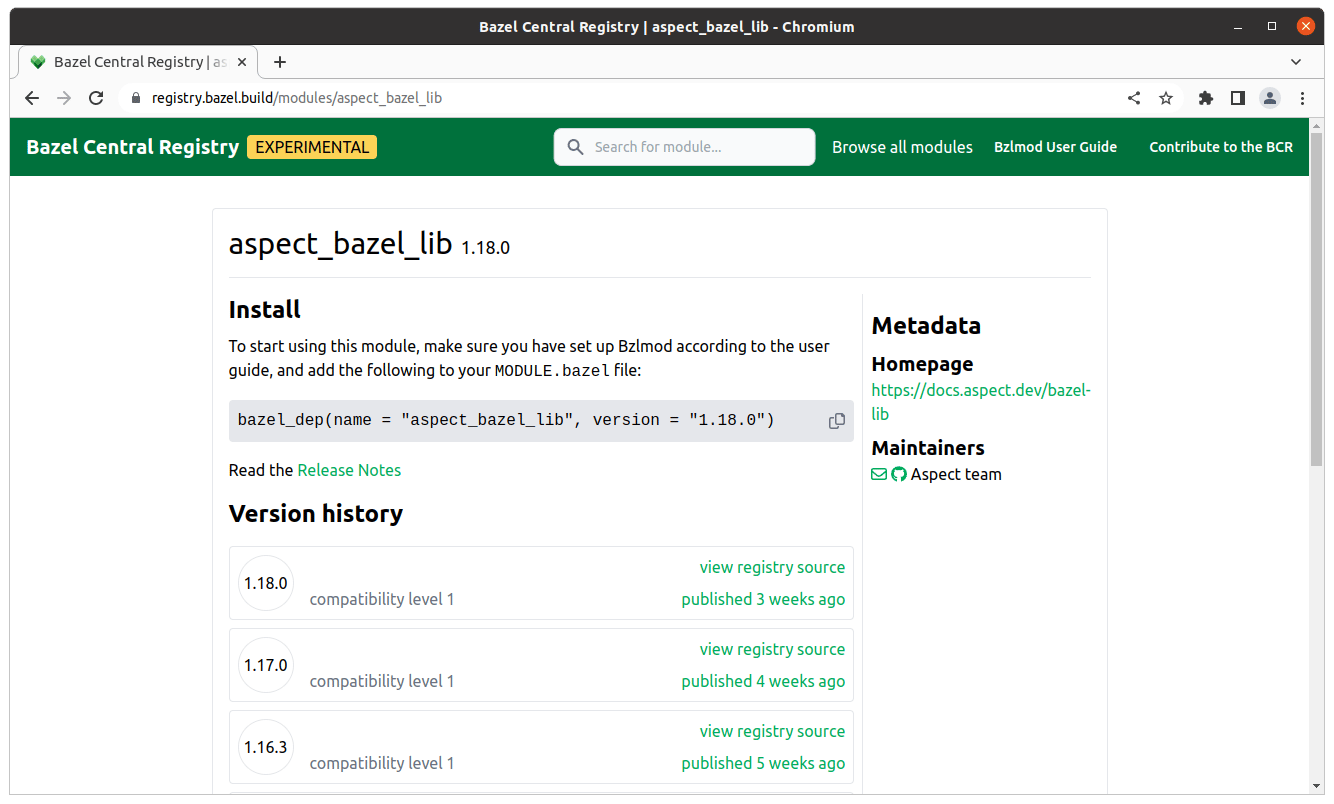
MODULE.bazel.
Now you can ask Bazel to fetch that package:
MODULE.bazel.lock file as well, which captures the specific
versions of dependencies including transitive dependencies, making the module
resolution reproducible. This file should be checked in.
Language dependencies
For most languages, Bzlmod delegates to other language-specific package managers.- Python: pip
- JavaScript: pnpm
- Java: Coursier / Maven / Gradle
- Go: the
gotool
- You may leave the developer’s constraints alone, but do use semantic versioning ranges. For example:
- our
logger/frontend/package.jsonallows any version ofhttp-server - our requirements.txt allows any version of
requests
- our
- Pin transitive dependencies to a constant version
- These are generally written to a separate “lock” file.
- Mirror that dependency list into Starlark
- This allows Bazel to manage the dependencies itself.
- Add code to expose external repositories for use by
BUILDtargets- The instructions for each language should tell you how to do this.
Finding documentation for bzlmod
In practice, you’ll find that not all rules do a good job of documenting bzlmod usage yet. You can get a hint by finding the tests for a ruleset. On https://registry.bazel.build, click the “View registry source” link for a module, and open thepresubmit.yml file.
You’ll find a path to some sub-folder where a test lives.
These are executable examples, so they give us a clue how the module is used.
For example,
/e2e/bzlmod folder in the ruleset repository, and there will be something that is guaranteed to work.
Exercise: add some language-specific dependencies
Bazel’s reproducibility can only be as good as the information it’s given. Each external package manager has a feature to pin the dependencies. The/README.bazel.md in the bazel-examples repo explains how to manage third-party package dependencies.
You should be sure to have similar documentation for developers in your repository.
The goal is to produce the following files, for the languages you care about:
go.mod->go.sumpackage.json->pnpm-lock.yamlrequirements.txt->requirements_lock.txt- Java sources ->
maven_install.json Package.swift->Package.resolved
MODULE.bazel file by searching the Registry and following ruleset install instructions.
Refer to the 100-series courses for more details about language-specific developer workflows.
Configuring the downloader
Bazel’s downloader is full-featured, and you can use it to block undesired network access, fetch via your corporate proxy or artifact repository, and more. Beware though, that some rulesets use the Bazel downloader while others do not.Read more: configuring bazels downloader
Eager fetches
We mentioned the eager semantics ofload in Eager load.
This is true for package managers and external packages too. Developers shouldn’t need to fetch things they don’t use. A developer working in one language shouldn’t be blocked waiting to download toolchains for some other language. Most of the time developers will not have a reason to fetch everything, but rather just let fetches happen automatically as needed.
In repository rules
These happen for every single build regardless of the dependency graph or which targets the user requests. Bazel must evaluate the completeWORKSPACE and MODULE.bazel files to understand what third-party dependencies exist for the build.
Let’s say the WORKSPACE file contains this content:
load statement, the my_deps repository is requested at loading time, and so the pip_parse implementation will run.
If it uses a hermetic python interpreter, then that interpreter must be built or fetched for any build.
Exercise: Fetch
Let’s verify we have one language working, by usingbazel fetch to get one of the dependencies.