

Query types
ThePrepareResult may need to inspect the contents of the files being visited, to understand their dependencies, whether they appear to be a test or executable, or scan for any other syntax you care to detect.
See the full list in the orion Query Types documentation.
There are six query factories: RegexQuery, AstQuery (tree-sitter), JsonQuery (jq), YamlQuery (yq), TomlQuery, and RawQuery (file content as-is). The two most common are covered below; the structured-data variants are handy when dependencies live in config files rather than source.
Every query factory accepts two optional filters:
filter— a glob matching file paths the query should run on.content_filter— an RE2 pattern the file content must match before the query (and, for parse-based queries, the parse itself) runs. This is a cheap gate ahead of an expensive parse — use a keyword every match contains, e.g."import"for an import-statement query.
Regex
Regular expressions work great, until they don’t. It’s a simple way to get started and it’s possible it will work for all cases you ever encounter. For example, to detect whether a shell file has a shebang line (and therefore should be insh_binary) the shell.axl example above has:
Tree-sitter
The tree-sitter query language lets you express AST search-and-match on any language tree-sitter can parse. An online playground is very useful for rapid prototyping of queries, and your favorite AI assistant can probably give you a partially working query to start from. Aspect CLI has a number of tree-sitter grammars built in, and we’re planning to add essentially all of them as needed. The tree-sitter playground looks like the screenshot below. Here we’ve pasted some sample Java code and want to extract the name of any “main” classes. The query is color-coded, with highlights showing each matching region, and the AST is shown alongside to help navigate the language structure.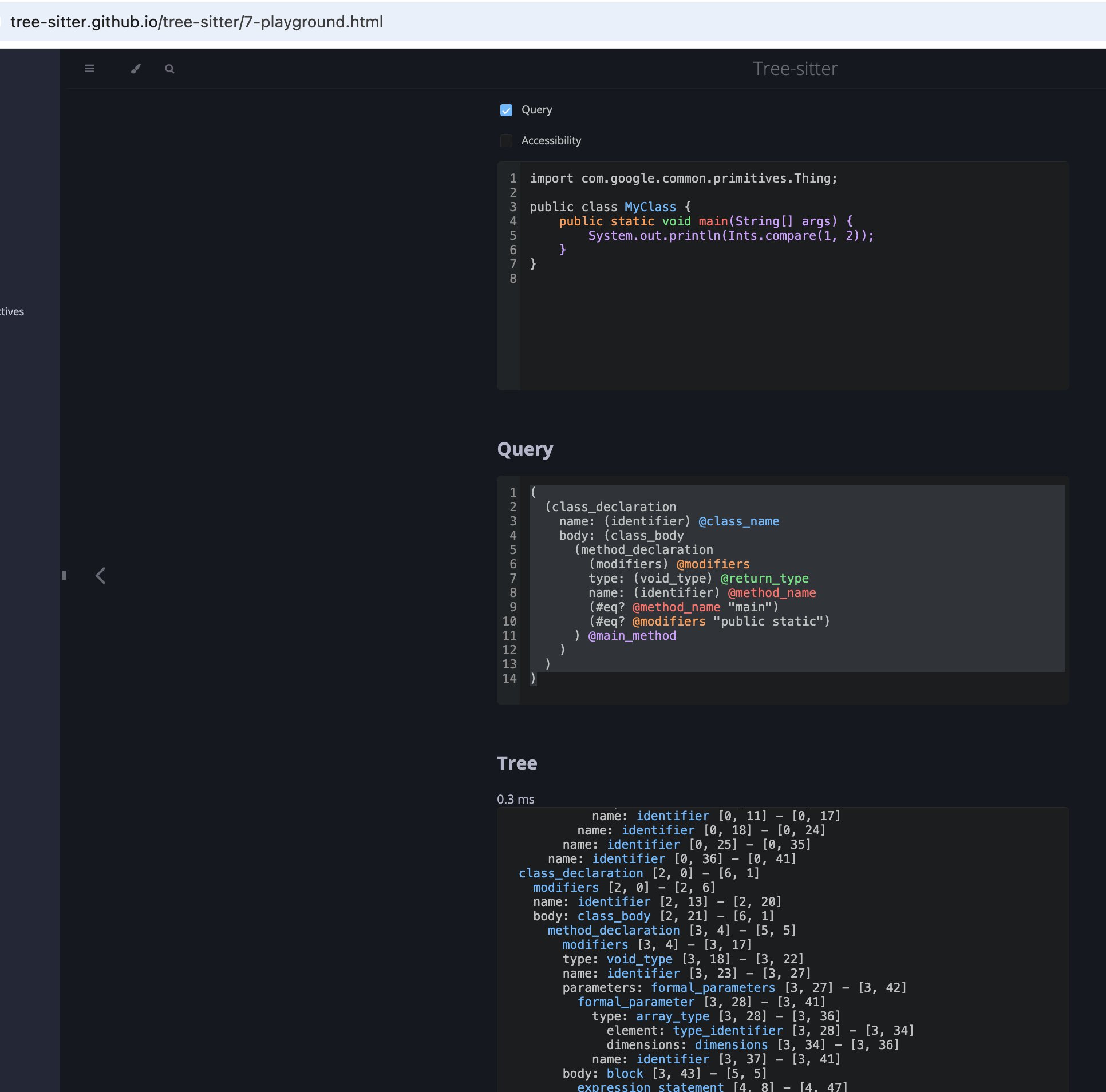
Structured data: JSON, YAML, TOML
When the information you need lives in a config file rather than source code, query it directly instead of writing a regex:aspect.JsonQuery(query = ...)runs a jq filter expression over a JSON document.aspect.YamlQuery(query = ...)runs a yq expression (jq-like syntax) over a YAML document.aspect.TomlQuery(query = ...)runs the same jq-like syntax over a TOML document.
Raw
aspect.RawQuery() returns the file content as-is, with no parsing — useful when you want to do your own processing in Starlark.