

app. on your deployment’s domain by default, and the hostname can be customized.
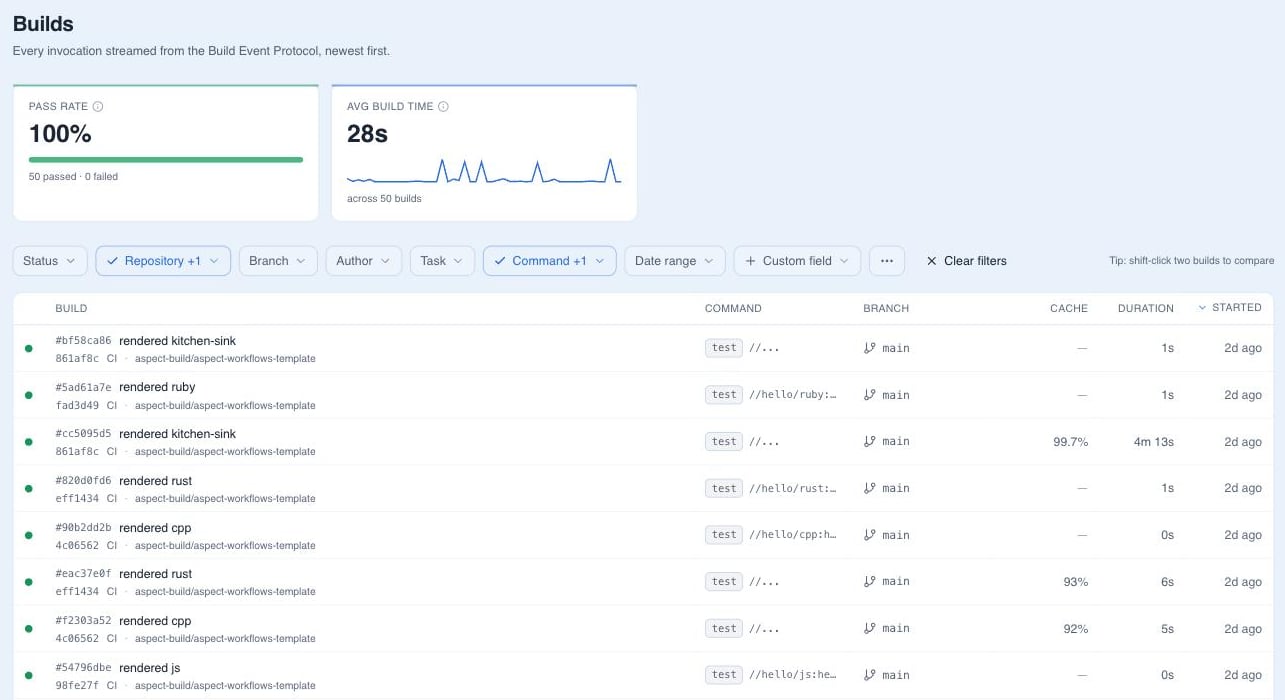
The build feed
The home page is a live feed of builds that updates while they run. Each row shows the build’s status, who triggered it, the branch and repository, the CI host, and the duration. Filter the feed by status, author, branch, repository, CI host, and task, over a relative window (last hour to last 30 days) or an absolute date range. Any other key your builds stamp with--build_metadata is filterable as a custom field. Save a filter combination as a preset to come back to it.
Inside a build
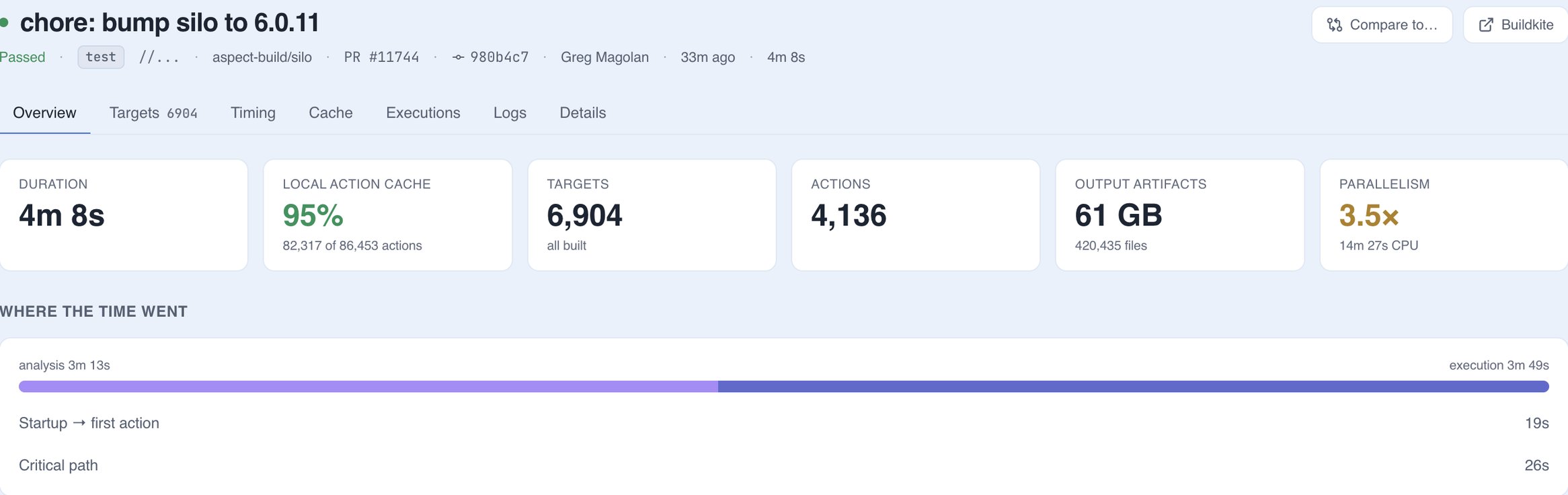
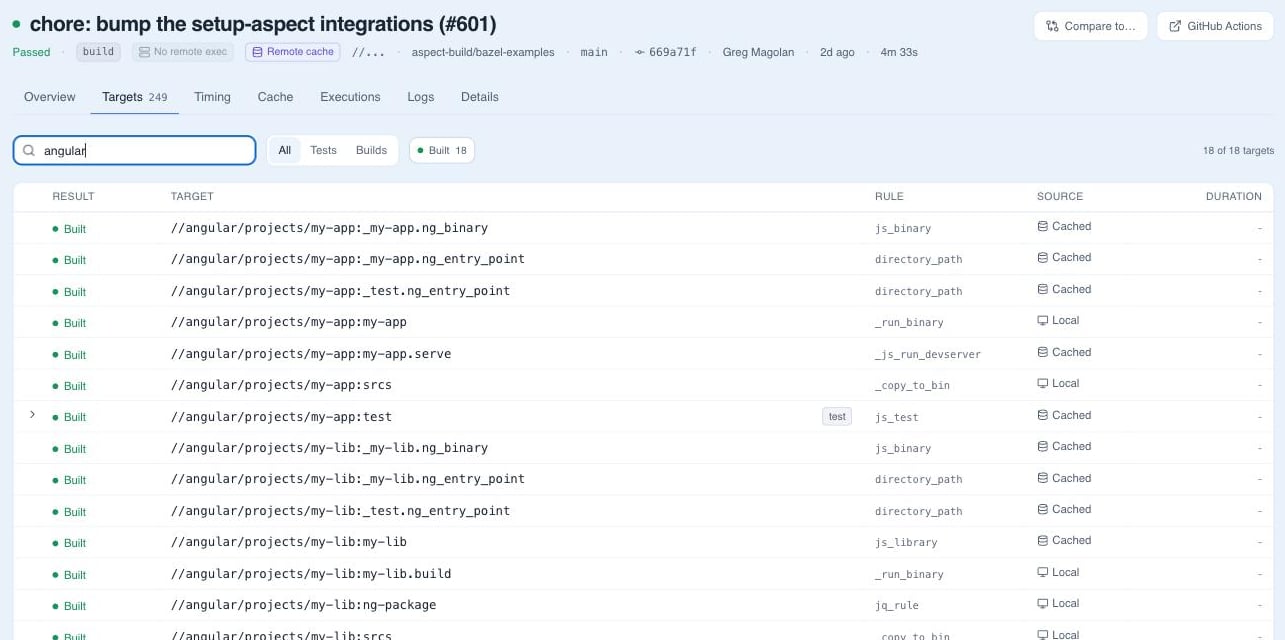
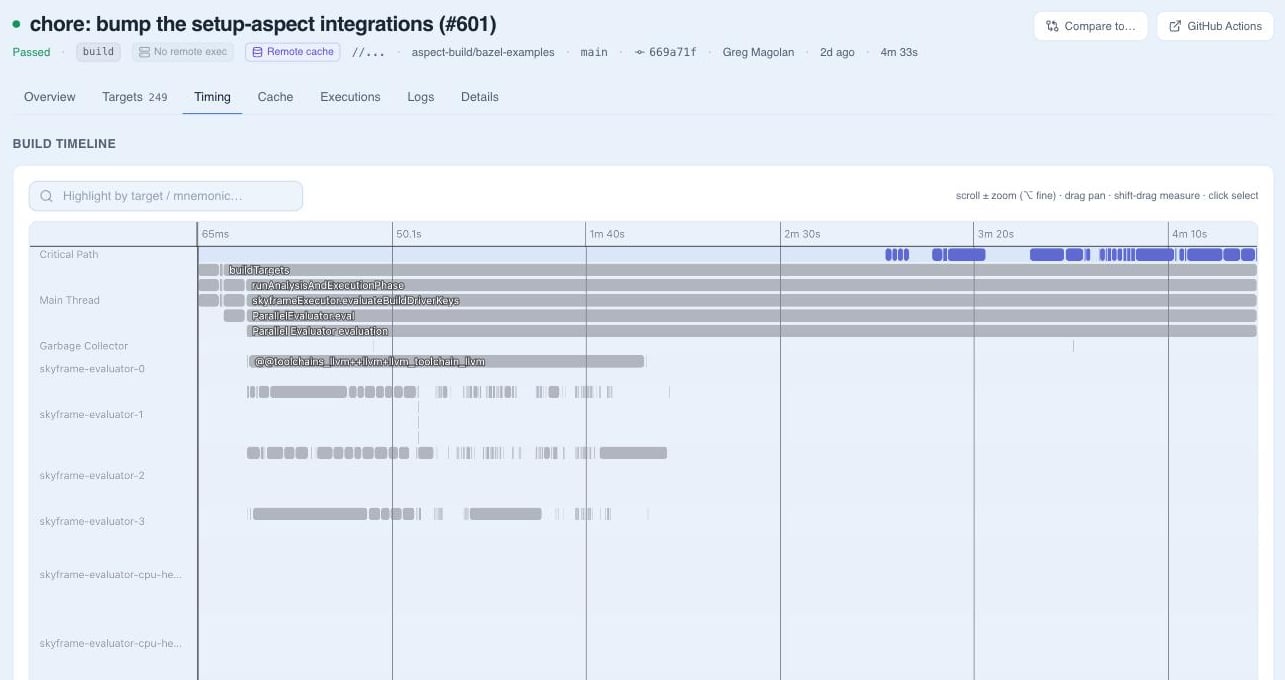
A build’s page is split into tabs:
Several of these views depend on data Bazel doesn’t send by default, such as the execution log and a full build profile. The page notes which flags a build is missing; Repository setup lists them.
Tests
Test targets list their status and duration, and a test’s page shows its logs. Where a test emits JUnit XML, individual test cases are parsed out, so a failing case inside a large suite is named directly. A target that failed and then passed on a retry is marked flaky, separately from targets that passed first time and targets that failed.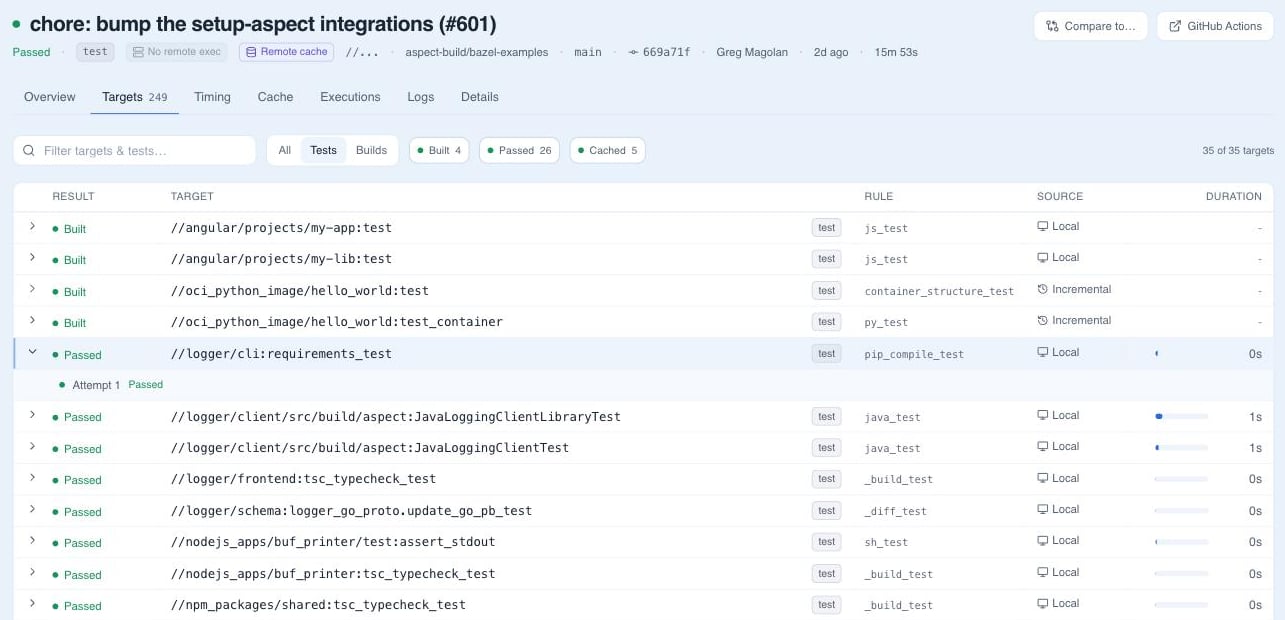
Per-target detail
A single target’s page has tabs for its logs, its JUnit test cases where it has them, its artifacts (the files the target produced, downloadable directly), and its configuration.Logs
Logs stream in while the build runs, so you can read a failure before the build finishes. Search a log to jump straight to the error, or open it raw or download it. Each test target keeps its own log alongside the build log. Every build has a stable URL to share.Targets across builds
The Targets page tracks targets across builds over a window from one day to one year: wall time, execution time, P90 artifact size, regressions, cache hit rate, flake rate, pass rate, build volume, and critical path. Open a target to see its history and the builds that built it.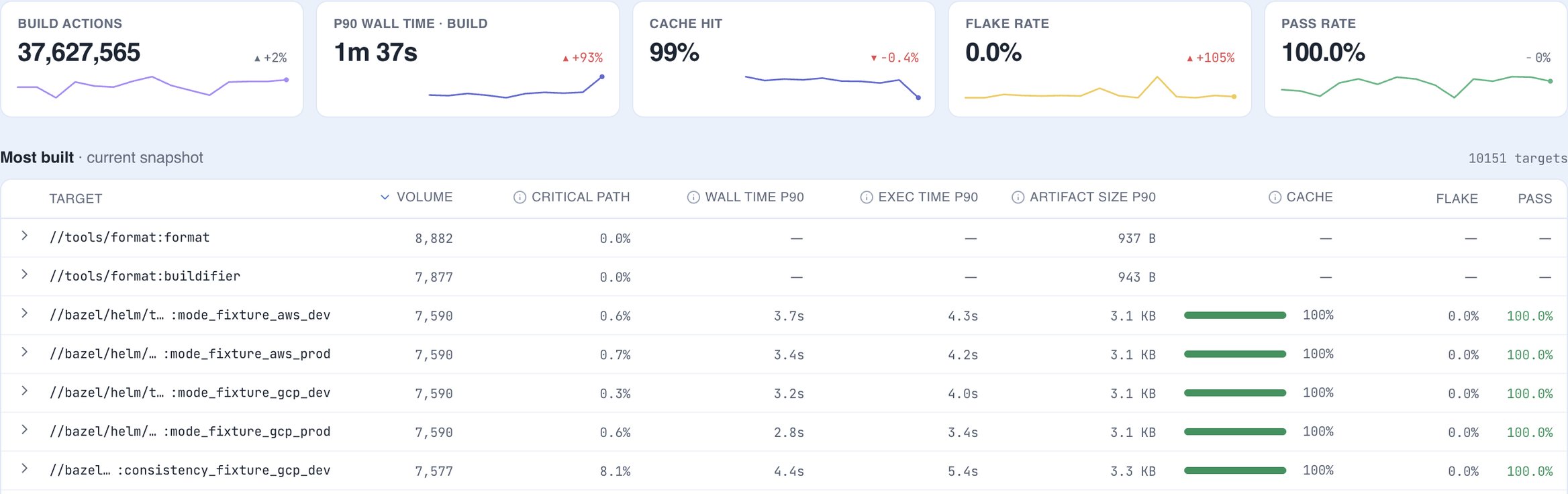
Compare two builds
Compare puts two builds side by side, with tabs for targets and tests, overview, cache, timing, executions, and configuration. The cache view arranges the rebuilt targets as a dependency tree rooted at what changed, and flags likely causes of a regression.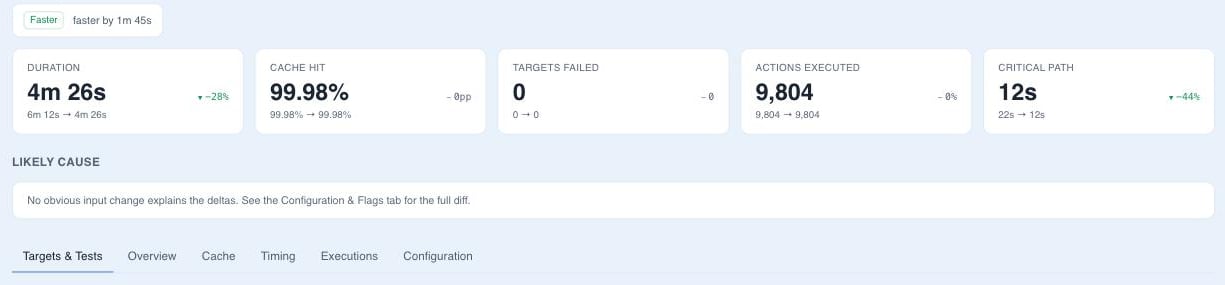
Getting builds into it
A Bazel invocation that streams the Build Event Protocol to Aspect Workflows appears here: from a Workflows runner automatically, and from a laptop or your own CI once build event streaming is set up (Aspect Cloud, ). For programmatic access to the same data, see the build results API and the MCP server, which gives an AI assistant read access to your build results.Deployments upgraded from 5.18 serve this UI at
app. on your domain,
with the previous UI at legacy-app. until the legacy build event stack
is retired, which 6.1 requires. See the .