> ## Documentation Index
> Fetch the complete documentation index at: https://site.aspect.build/llms.txt
> Use this file to discover all available pages before exploring further.
# Orientation to the bazel-examples repo
> Tour the aspect-build/bazel-examples kitchen-sink monorepo used across Bazel 200-series training to explore real multi-language Bazel module setups.
The 100-series courses used our [Aspect Starters](https://github.com/aspect-starters) to make a **new** empty project.
That's a good learning environment for product engineers, who prefer less cognitive load and have the luxury to focus on the single language they program in.
Developer Infrastructure teams are usually tasked with the productivity and maintenance of a big repo with many languages, so that's what the 200-series courses show you. They use a full-featured "kitchen sink" monorepo:
[**https://github.com/aspect-build/bazel-examples**](https://github.com/aspect-build/bazel-examples)
The repository's primary (top-level) workspace consists of a Bazel Module and various nested modules in its root.
There are also some additional nested workspaces with multiple modules for code that’s not part of the primary example workspace.
## Exercise: Get the code
To follow along, there are a few choices:
* Open `bazel-examples` in a GitHub Codespace, a throwaway playground environment.
* Clone the `bazel-examples` repository to your machine.
* You can pair up with someone near you.
* Follow along with the instructor who presents the content.
If your training session has a teaching assistant, remember to reach out with questions about getting this repo functional.
## Content of note in this repo
Let's read through the files that matter for all languages:
* `MODULE.bazel` / `MODULE.bazel.lock` - we'll learn more in [package managers](./package-managers)
* `WORKSPACE.bazel` - basically gone now!
* `REPO.bazel`
* `.bazelversion`
Folders to know about:
* `.aspect/` has settings for Aspect's products (optional)
* `tools/` sets up the developer environment
* `logger/` is a multi-language example application
There are also numerous other files that you can ignore for now, relevant only to
specific examples.
## Running the Logger Demo
The initial demo project is in the `logger` directory, so start with `cd logger`
if you want to follow along.
First, startup the Go backend server by running:
```bash theme={null}
bazel run backend
```

[https://asciinema.org/a/550627](https://asciinema.org/a/550627)
Then, launch the Java client which produces log messages and sends them to the backend:
```bash theme={null}
bazel run client
```

[https://asciinema.org/a/550629](https://asciinema.org/a/550629)
Now we can run our Python CLI to see the messages so far:

[https://asciinema.org/a/550630](https://asciinema.org/a/550630)
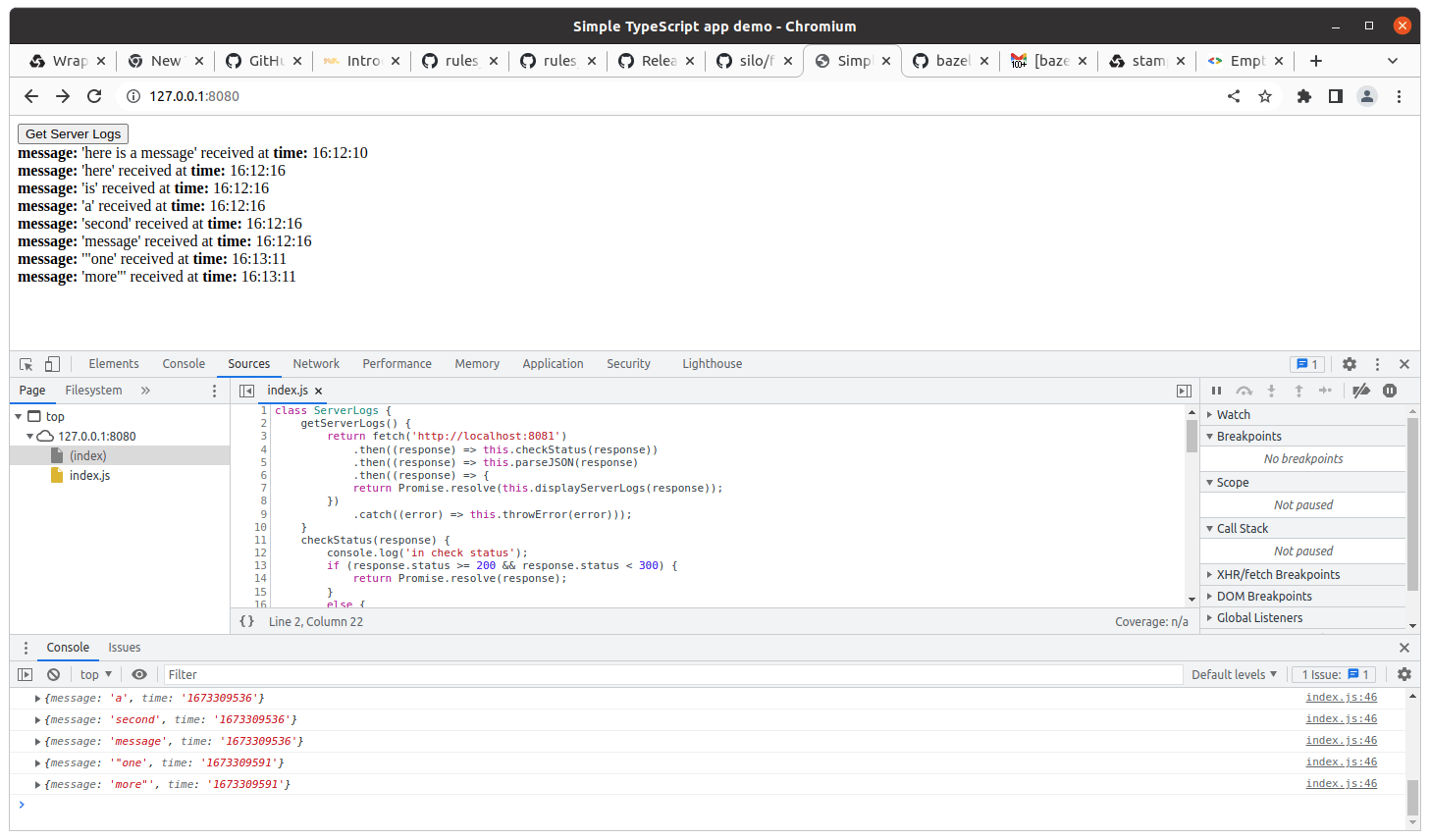
Finally, we can run a TypeScript web frontend and see the messages there too,
```bash theme={null}
bazel run frontend
```

[https://asciinema.org/a/550628](https://asciinema.org/a/550628)
Here's what the app looks like in the browser after loading some messages: