> ## Documentation Index
> Fetch the complete documentation index at: https://aspect.build/llms.txt
> Use this file to discover all available pages before exploring further.
# Editor features: virtualenvs
> Generate Python virtualenvs from Bazel with aspect_rules_py venv targets to give your editor auto-complete, jump-to-definition, and docs-on-hover.
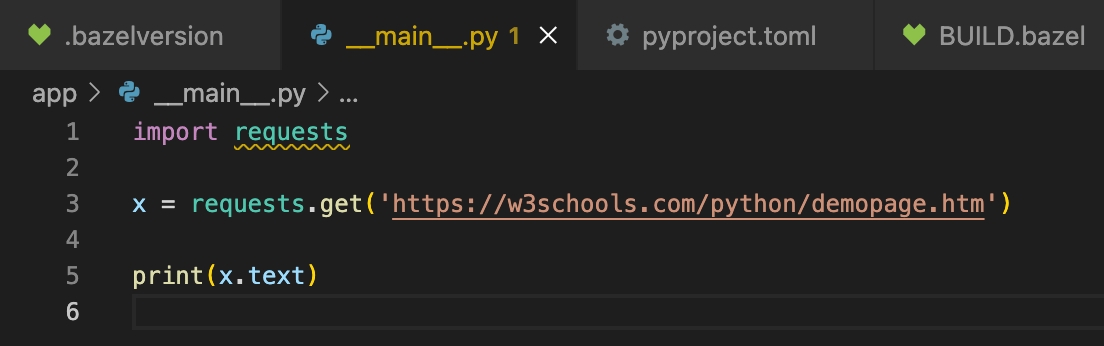
Look at the `import requests` line in your `__main__.py` file.
In your editor, it probably appears with some yellow squiggle underscores, indicating that you won’t have features like auto-complete, jump-to-definition, docs-on-hover, and so on.
Or it might be functional, but leaking through to somewhere else in the environment that doesn't have the same version.
 Let’s fix that.
Python tooling expects a Virtual Environment (”virtualenv”) which is a specially-constructed folder with a linked Python interpreter, and packages installed in a `site-packages` subfolder.
Since the repository gets the `py_binary` from `aspect_rules_py`, it includes a `venv` target which produces this virtual environment.
Run `bazel query --output=label_kind app:all` to see what targets are available.
```python theme={null}
py_library rule //app:__test__
_py_pytest_main rule //app:__test___template
determine_main rule //app:_app_bin.find_main
determine_main rule //app:_app_test.find_main
py_binary rule //app:app_bin
py_venv_rule rule //app:app_bin.venv
py_test rule //app:app_test
py_venv_rule rule //app:app_test.venv
```
`app:app_bin.venv` is an option, so run that:
```python theme={null}
% bazel run app:app_bin.venv
```
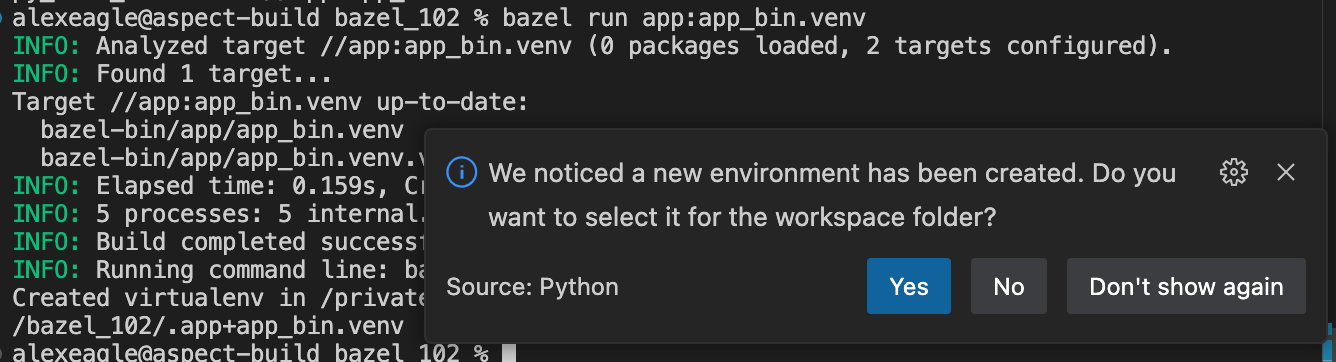
Once this has run, the editor should see that a virtualenv now exists in the source folder, and offer to use it to resolve dependencies.
Here’s Visual Studio Code with the [standard Python extension](https://marketplace.visualstudio.com/items?itemName=ms-python.python), for example:
Let’s fix that.
Python tooling expects a Virtual Environment (”virtualenv”) which is a specially-constructed folder with a linked Python interpreter, and packages installed in a `site-packages` subfolder.
Since the repository gets the `py_binary` from `aspect_rules_py`, it includes a `venv` target which produces this virtual environment.
Run `bazel query --output=label_kind app:all` to see what targets are available.
```python theme={null}
py_library rule //app:__test__
_py_pytest_main rule //app:__test___template
determine_main rule //app:_app_bin.find_main
determine_main rule //app:_app_test.find_main
py_binary rule //app:app_bin
py_venv_rule rule //app:app_bin.venv
py_test rule //app:app_test
py_venv_rule rule //app:app_test.venv
```
`app:app_bin.venv` is an option, so run that:
```python theme={null}
% bazel run app:app_bin.venv
```
Once this has run, the editor should see that a virtualenv now exists in the source folder, and offer to use it to resolve dependencies.
Here’s Visual Studio Code with the [standard Python extension](https://marketplace.visualstudio.com/items?itemName=ms-python.python), for example:
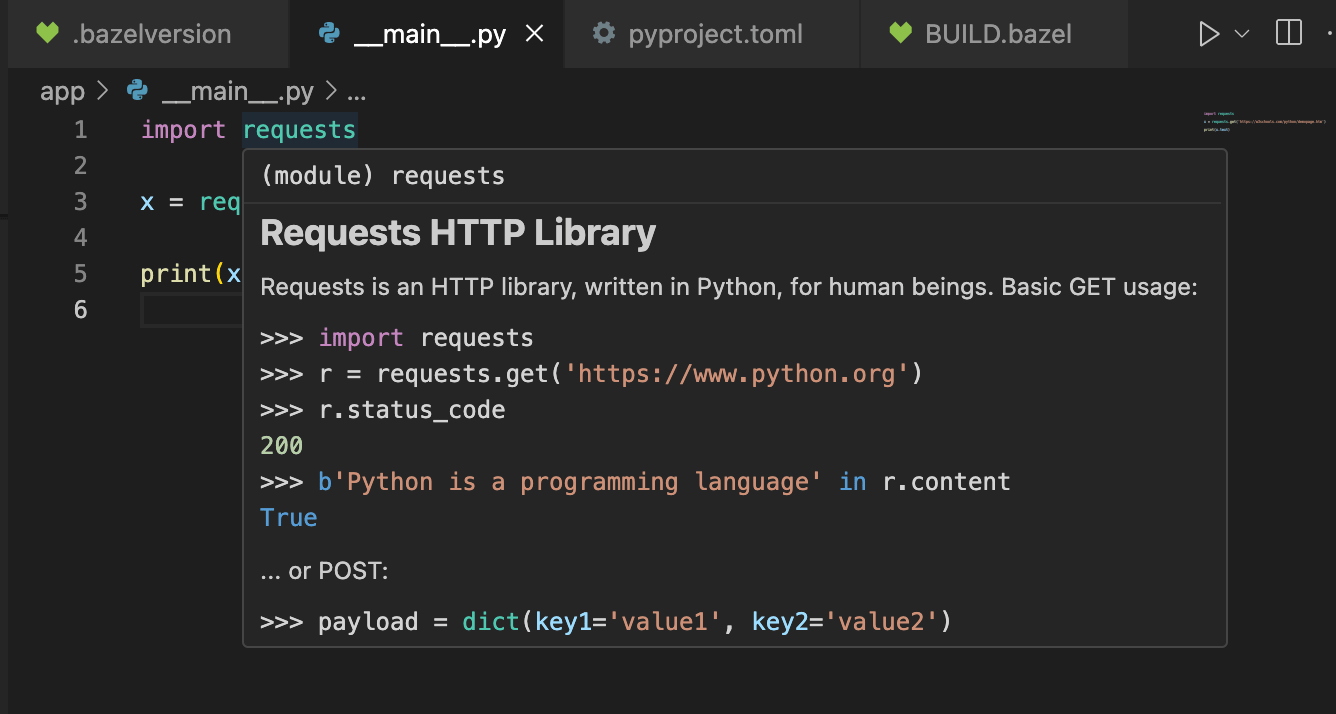
 Once you activate this virtualenv, the yellow squiggles should disappear, and you should be able to navigate through the import statement to the requests package.
 This documentation is built and hosted on [Mintlify](https://mintlify.com), a developer documentation platform.