> ## Documentation Index
> Fetch the complete documentation index at: https://site.aspect.build/llms.txt
> Use this file to discover all available pages before exploring further.
# Bazel Modules
> Learn how Bazel modules work, what MODULE.bazel does, how to declare dependencies with bazel_dep, and how to find packages in the Bazel Central Registry.
In this section, you'll learn how Bazel manages external dependencies through its module system. You'll understand what `MODULE.bazel` does, how to declare dependencies, and how to find modules in the Bazel Central Registry.
## What is a Bazel Module
The [Bazel documentation](https://bazel.build/external/module) defines a module as a project that can have multiple versions, each publishing metadata about its dependencies. This is similar to most programming languages which use a well-known file to declare a package and its dependencies.
A Bazel module defines the root of a Bazel workspace and is identified by the presence of a `MODULE.bazel` file. If you’re familiar with files like `package.json`, or `pyproject.toml`, `MODULE.bazel` serves a similar purpose for Bazel.
Some tools still rely on the older `WORKSPACE` or `WORKSPACE.bazel` file to appear in the workspace root, such as [bazel-watcher](https://github.com/bazelbuild/bazel-watcher/issues/646). As a workaround, leave an empty file at this path with a comment explaining why it still exists.
## Bazel Central Registry
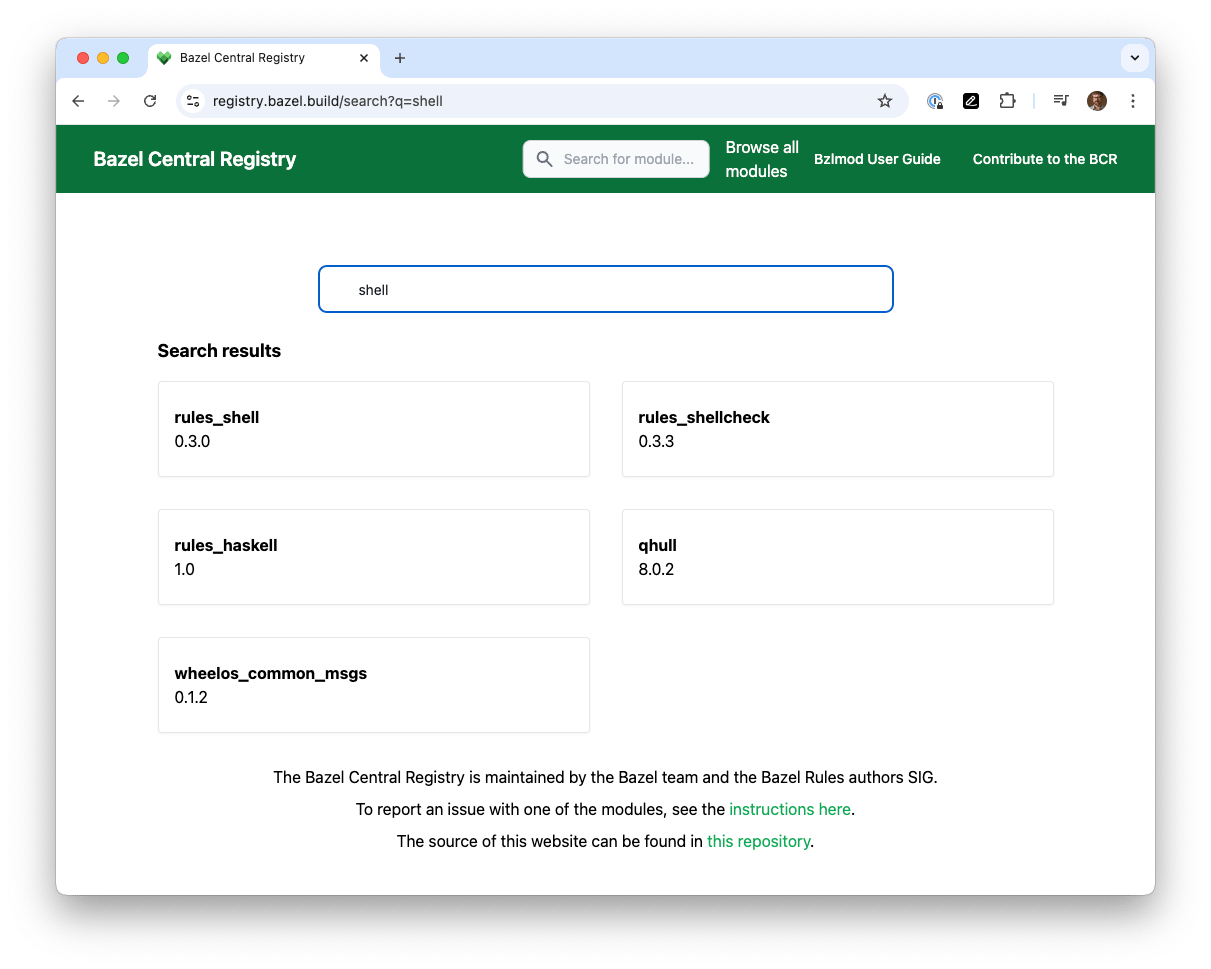
Bazel hosts a “Central Registry” of third-party modules that extend Bazel’s abilities or provide build instructions for libraries. These may be browsed at [https://registry.bazel.build](https://registry.bazel.build).
 ## Understanding the Bazel Module Configuration
Since our starter repo is for Shell scripts, you see a dependency on that module, which provides the plugin (”rules”) for shell scripts:
```python theme={null}
# Depend on a specific version of a module from the registry
# (https://registry.bazel.build/modules/rules_shell)
bazel_dep(name = "rules_shell", version = "0.3.0")
```
“Nested” modules are possible, but discouraged. The rest of the training assumes that a Bazel module is one-to-one with a git repository. Also, as this is a typical monorepo project, this module is a “leaf” - nothing else depends on it. So you don’t need to publish it anywhere.
If more setup is required for the rules, that appears in `MODULE.bazel` as well. For example, this is where you could refer to some third-party packages used in the language. Later 100-series courses will show how to interact with language-specific package managers.
## Understanding the Bazel Module Configuration
Since our starter repo is for Shell scripts, you see a dependency on that module, which provides the plugin (”rules”) for shell scripts:
```python theme={null}
# Depend on a specific version of a module from the registry
# (https://registry.bazel.build/modules/rules_shell)
bazel_dep(name = "rules_shell", version = "0.3.0")
```
“Nested” modules are possible, but discouraged. The rest of the training assumes that a Bazel module is one-to-one with a git repository. Also, as this is a typical monorepo project, this module is a “leaf” - nothing else depends on it. So you don’t need to publish it anywhere.
If more setup is required for the rules, that appears in `MODULE.bazel` as well. For example, this is where you could refer to some third-party packages used in the language. Later 100-series courses will show how to interact with language-specific package managers.