> ## Documentation Index
> Fetch the complete documentation index at: https://site.aspect.build/llms.txt
> Use this file to discover all available pages before exploring further.
# Build & Test UI
> The Aspect Workflows Build & Test UI for inspecting Bazel CI invocations, test results, and logs, running in your own AWS or GCP account.
The Aspect Workflows Build & Test UI is where you triage build and test failures fast. It shows recent build and test runs across your CI environment, lets you drill into individual invocations for test results and raw logs, and surfaces the metadata needed to diagnose failures without navigating the CI provider UI.
It ships with every Workflows deployment, running in your own AWS or GCP account alongside the rest of the Workflows services, exposed at a subdomain on your own DNS, and authenticated through your existing identity provider with SSO over OIDC or SAML. SCIM keeps user provisioning and deprovisioning in sync with your directory, and the same SSO that gates the rest of your engineering tooling gates the Build & Test UI too.
## Targets without the noise
The targets view collapses the invocation's build graph to what matters: which targets built, which failed, and how long each took.
 ## Test inspection
All test targets with status and duration, filterable and sortable, with per-test logs one click away.
## Test inspection
All test targets with status and duration, filterable and sortable, with per-test logs one click away.
 ## Every build, captured in full
Every invocation is captured in full: build logs with full-text search, per-test logs, target outcomes with timings, and the cache hit counts that explain why a build was fast or slow. View logs in place, raw, or downloaded, and share a deep link to the exact invocation instead of pasting log fragments into chat.
## Every build, captured in full
Every invocation is captured in full: build logs with full-text search, per-test logs, target outcomes with timings, and the cache hit counts that explain why a build was fast or slow. View logs in place, raw, or downloaded, and share a deep link to the exact invocation instead of pasting log fragments into chat.
 ## The Details tab
Every invocation carries a Details tab with the full story of the build:
* **Build profile**: download the full, concurrent timeline of the build, showing the true critical path, idle gaps, and scheduling delays. Open it in Perfetto or `chrome://tracing` to see exactly where wall-clock time went.
* **Target outcomes**: tests passed and cached, targets built and skipped, charted at a glance.
* **Invocation details**: status and exit code, start, end, and elapsed time, Bazel version, command and pattern, workspace, and counts of targets configured, packages loaded, and actions executed.
* **Target configuration**: identifiers and Make variables for the targets in the invocation.
## Detail at the level you need
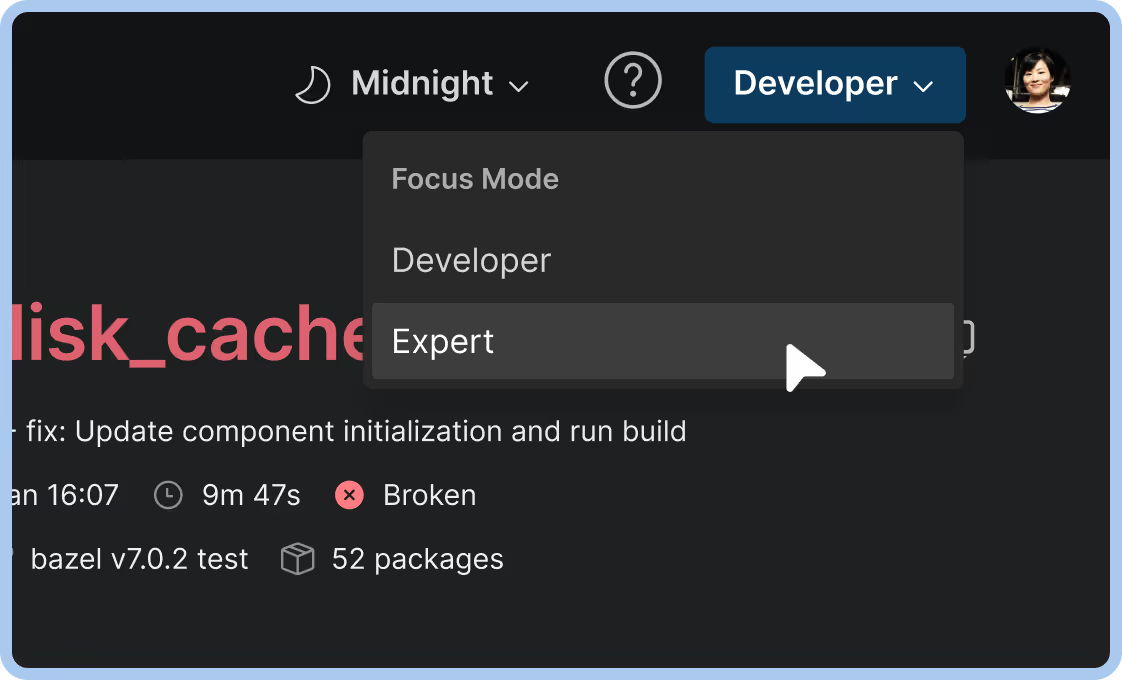
Developer and focus modes adjust how much detail an invocation shows, so a product engineer chasing one red test and a build engineer profiling the whole invocation each see the right view.
## The Details tab
Every invocation carries a Details tab with the full story of the build:
* **Build profile**: download the full, concurrent timeline of the build, showing the true critical path, idle gaps, and scheduling delays. Open it in Perfetto or `chrome://tracing` to see exactly where wall-clock time went.
* **Target outcomes**: tests passed and cached, targets built and skipped, charted at a glance.
* **Invocation details**: status and exit code, start, end, and elapsed time, Bazel version, command and pattern, workspace, and counts of targets configured, packages loaded, and actions executed.
* **Target configuration**: identifiers and Make variables for the targets in the invocation.
## Detail at the level you need
Developer and focus modes adjust how much detail an invocation shows, so a product engineer chasing one red test and a build engineer profiling the whole invocation each see the right view.
 {user.loggedIn && user.tenantMetadata?.docsGroups?.includes('workflows-subscriber') ? (
See also Build & Test UI configuration for OIDC provider setup, DNS configuration, and the Terraform `webapp` block.
) : !user.loggedIn ? (
To access the complete product documentation, including installation and detailed configuration, log in with your Aspect account, or ask an Admin in your organization to invite you via the Aspect admin portal.
) : (
If you are a Workflows customer, contact Aspect support for access to complete product documentation, including installation and detailed configuration.
{user.loggedIn && user.tenantMetadata?.docsGroups?.includes('workflows-subscriber') ? (
See also Build & Test UI configuration for OIDC provider setup, DNS configuration, and the Terraform `webapp` block.
) : !user.loggedIn ? (
To access the complete product documentation, including installation and detailed configuration, log in with your Aspect account, or ask an Admin in your organization to invite you via the Aspect admin portal.
) : (
If you are a Workflows customer, contact Aspect support for access to complete product documentation, including installation and detailed configuration.
Not a customer yet? Sign up for a free 30-day trial at /trial to get started.
)}